It feels like when you browse social media, every DIY creator comes with a production team sneaking behind the drywall. The angles are right, the lighting is right, and then the big conclusion looks like it came from a home-reno show. In parallel, your photography is shaky in the rain and by a soggy individual who forgot to turn the lights on.
The gap is not talent. It is a technique. Using tools within the reach of anyone with a smartphone and an internet connection, this guide dissects professional filming techniques that take run-of-the-mill DIY documentation and turn them into videos people choose to watch, share and save.
What does it mean to be “Professional” at DIY?
You see, professional home improvement videos have three aspects that most amateur clips video almost never display; visual consistency, narrative pace, and audio clarity. The professional creator keeps a similar color temperature for every shot, so the viewer does not need to adjust their eye. The edit follows a clear narrative arc with rising tension and a resolution that leaves you satisfied. And they make sure each voice, each buzz of a saw, and swoosh of a paint roller is as sharp as possible for your experience to be sensory overload.
In the past, it took expensive equipment and years of practice editing to get these qualities. The landscape has shifted dramatically. Today, AI creative platforms automate many of the most tedious outtakes of production, liberating builders and renovators to focus on what they do best – while the software takes care of a cinematic shine.
Take for instance a Real Estate Video Maker in the Pollo AI Marketing Studio which converts static photographs of finished spaces into narrated advertising videos with cinematic visual effects. Originally popularised by contractors and flippers to market their listings, it’s the same technology that works exceptionally well for any creator wishing to showcase a complete DIY project with an amount of production quality worthy of algorithmic privilege and audience trust.
Shooting Method That Will Improve Your Films
Work with Rule of Thirds
Position your subject along the imaginary gridlines that divide the frame into nine equal sections rather than centering everything. Place the edge of a freshly painted accent wall along the left vertical line. Position your hands working on a fixture at the intersection of two gridlines. This simple compositional principle instantly makes footage feel more intentional and visually balanced.
Use Movement With Purpose
Static shots are fine, but sliding laterally slowly past a row of freshly put-in cupboards has (cinematic) depth nothing resembling a locked-off frame can ever achieve. If you don’t have a slider, put your phone on a towel on a flat countertop and push it lightly. It is an improvised glide with surprisingly professional outcome. If your video is going to be overhead shots of you at the workbench measuring, cutting, assembling — cradle your phone face-down on a shelf or with a flexible arm clamp secured to an upper cabinet.
Capture the Five Essential Shots
The five shot types every pro reno sequence is built around: establishing the wide showing the entire room, the medium framing you working in it, close-up detail shots of craftsmanship, point-of-view shots for letting them see through your eyes (!), and reaction or reveal (that hits the emotional punch). Gather all five for each major phase of your project to leave yourself the most room for editing.
How to Edit Like a PRO Without PAYING for Professional Software
Powerful non-linear editors such as Premiere Pro or DaVinci Resolve allow incredible amounts of control. However, there is a steep learning curve and you would also need to pay for the software too! For many DIY creators whose core competency is building, and not editing, the best AI-powered platforms pretty much remove that learning curve altogether.
Creative Studio is an all-in-one workspace combining video generation, image creation, audio production and digital avatar tools brought to you by Pollo AI. Import your raw clips, generate background music in the style of your project, voiceover narration to explain what the viewer should be doing and even produce reference images for thumbnail design — all without having to leave the app. It’s significant this consolidation because fragmentation of workflow is one of the big reasons why DIY creators leave video after a handful of tries. When every task lives in the same place, it seems more doable than daunting.
For creators that won’t settle for anything but a refined video to reveal the final product, The Real Estate Video Maker is worth highlighting. Ya take your most stunning finished-room photos and the tool compiles them into a movie-esque cinematic presentation while also featuring smart voice overs that point out design highlights. The output is ready to go for social media, email campaigns or portfolio pages, and the full generation process takes only a fraction of the time that manual editing would require.
Solving the Short-Clip Problem With Intelligent Extension
Even the most disciplined filmmakers occasionally end up with clips that are a few seconds too short. Perhaps you captured a beautiful tracking shot along a newly tiled backsplash but stopped recording a beat too early. Reshooting means moving equipment, repositioning lighting, and hoping the natural light has not shifted. More often than not, the moment is gone.
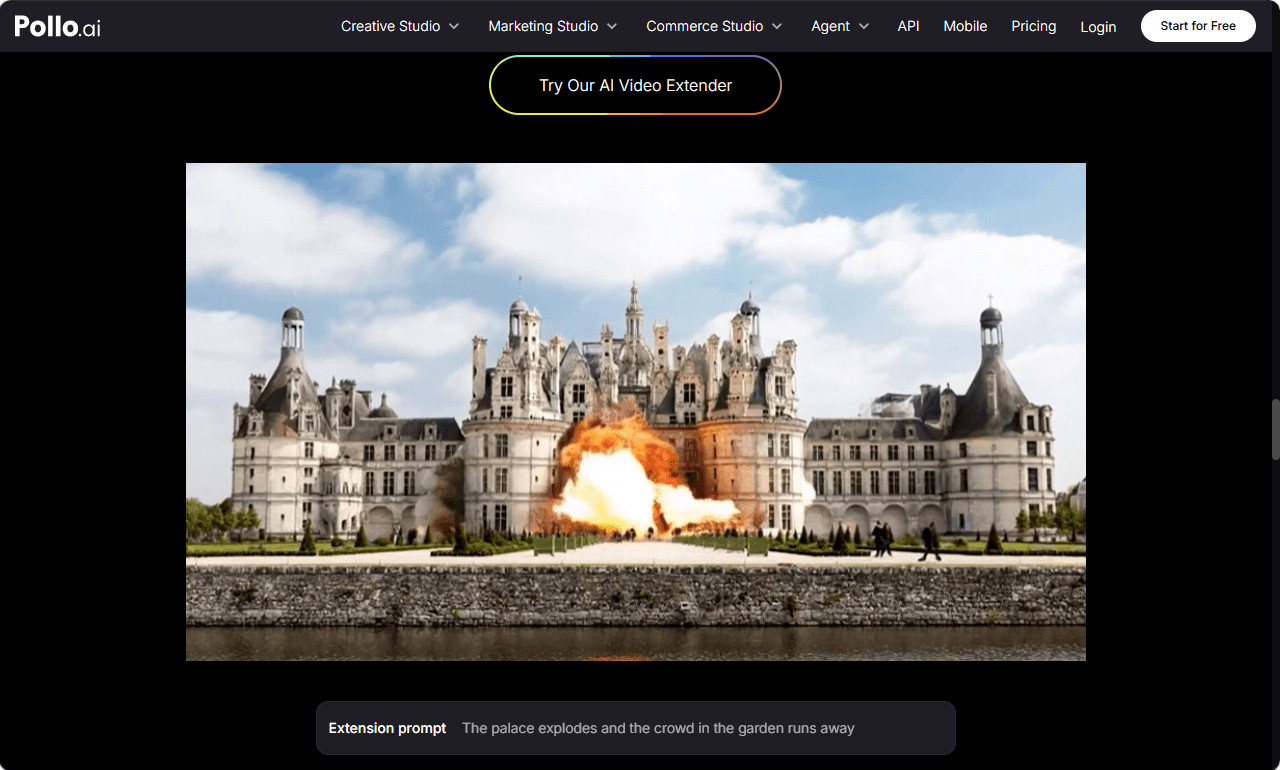
The AI Video Extender available through Pollo AI offers an elegant solution. Upload the short clip, keeping the file under thirty-two megabytes, and describe in a text prompt how you want the scene to continue. The tool analyzes the existing frames and generates new content that matches the original in color grading, motion trajectory, and spatial logic. You have extensions from 1 to 7 seconds and a fast mode that allows you to make quick iterations, as well as a professional mode where the priority is on output quality. Resolution includes 540p, 720p and 1080p so your extended footage will seamlessly meld into your timeline without you having to even think about export settings.
The tool transforms the creator, not simply in that it makes things easier but rather when it changes the way you think. Instead of neurotically overshooting every single second, you shoot confidently knowing that anything can be extended intelligently later. The AI Video Extender ensures visual consistency to such an extent that the “new” frames appear a fluid extension rather than a digital stitch-in. This ability to create and edit content automatically on a schedule could save creators hours of time with every project they create.
Advanced Tips for Standing Out in a Crowded Niche
Tell Micro-Stories Within the Build
Instead of showing your project as one long single continuous story, show them as micro-stories each with their own conflict and resolution. The instant you find some ominous water damage behind the drywall, an actual theatrical drama. The journey of finding the perfect complementary paint starts. Smaller arcs like these keep viewers engaged through longer videos and are also more organic breakpoints for ads or chapter markers.
Use Before-and-After Frames Strategically
Split-screen or match-cut comparison one-third into your video instead of saving it all until the very end. This early payoff tells viewers that the change will be worth watching, and decreases the chances of viewers dropping off. And have the emotional reveal in the end for the full impact.
Create Several Types of Content From One Project
It can be an entire length YouTube tutorial, (3 to 5) short-form vertical clips for TikTok and Reels, a photo-based showcase video created via the Real Estate Video Maker for Pinterest and email, plus a set of stills for blog posts. This multi-channel output should be planned ahead of time, prior to opening the camera so you know exactly what angles and moments you need for all outlets.
Conclusion
Getting professional-quality footage of your home DIY projects has little to do with an impressive set of tools and everything to do with purposeful methods as well as smart devices. Shoot your narrative arc: identify the five main shot types you should capture in each phase, and finally, rely on AI-driven platforms to edit your story, narrate it, and even generate the text.
Pollo AI’s Real Estate Video Maker and AI Video Extender answer two of DIY video production’s most stubborn pain points: executing perfectly polished showcase content from still images and managing clips that finished a few seconds too early. Apply these techniques on your next project, and the gap between your footage and the content you admire will close more quickly than you think.