A family media room works best when the screen, sound and people receive more attention than tangled cables or crowded shelves. Visual clutter can make even a large room feel busy, while reflective surfaces and harsh fixtures add another layer of sensory noise. A calmer setup doesn’t require a major remodel. Thoughtful furniture placement, softer materials and concealed storage can change how the room feels during movie night, quiet screen time or an afternoon gaming session.
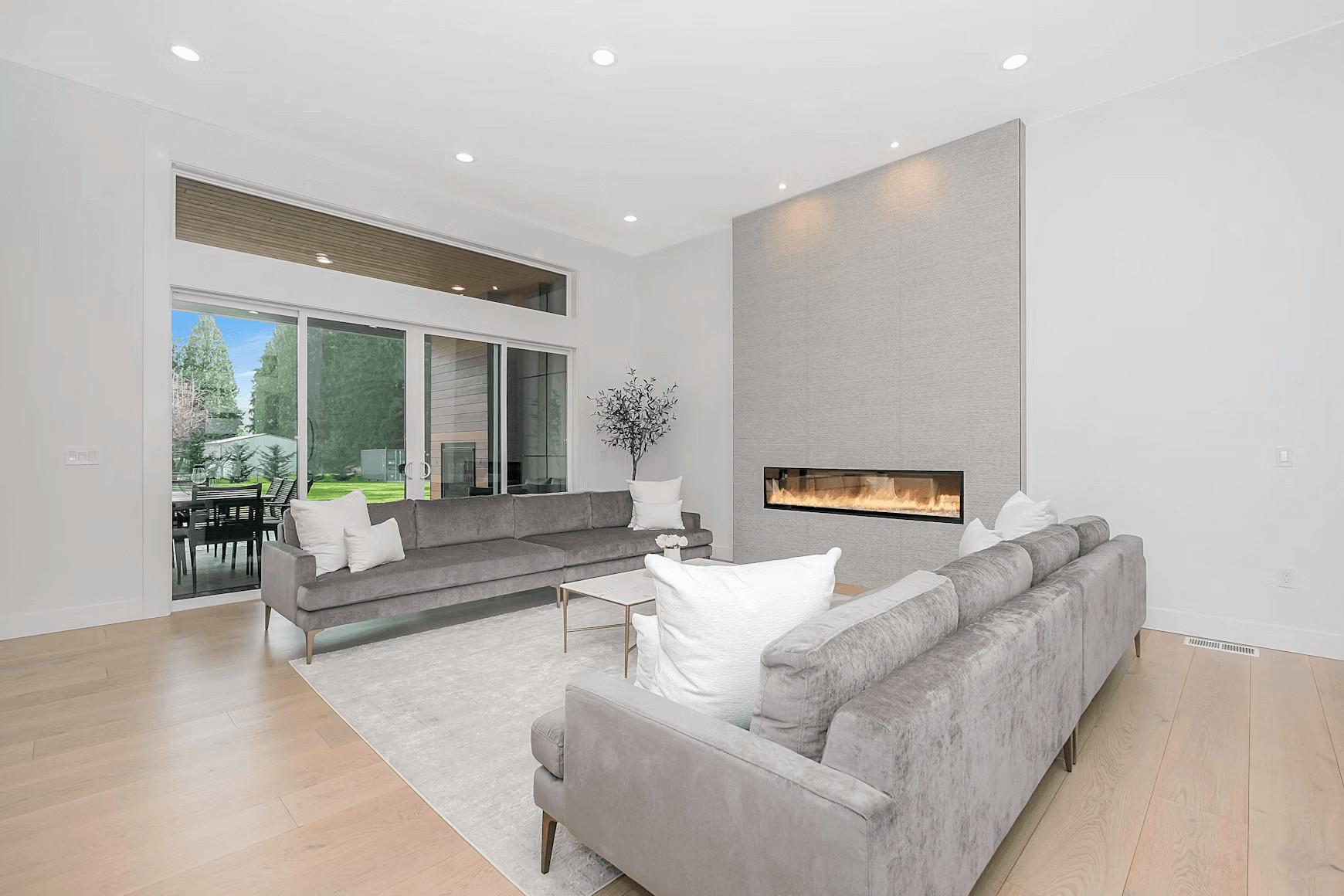
Image Credit: Unsplash
The Acoustic Impact of Hard Surfaces
Bare walls, hard flooring and large windows bounce sound around the room. Dialogue becomes harder to follow, so people often raise the volume. You can soften those reflections with a thick rug, lined curtains and fabric seating. Even a few upholstered floor cushions help in a multipurpose family space. These practical media room design ideas show how sound, lighting and style can work together.
Seating deserves the same restraint. Choose one sectional, or a matching pair of sofas, that fits the whole family instead of a mix of odd chairs pulled in from other rooms. A tightly woven, stain-resistant upholstery handles snacks and spills, and a single durable set of seating looks calmer than several pieces competing for attention.
Sensory load also comes from the program itself. If younger children use the room, Calm Shows (Good for Toddlers and Preschoolers) offers data-driven guidance based on stimulation levels. A slower program combined with controlled sound can make shared viewing feel less hectic before bedtime.
Soft Lighting Changes Room Energy
One bright ceiling fixture can create glare on the screen and make the rest of the room feel flat. Use several low-level light sources instead. A dimmable floor lamp beside the sofa, warm wall lights and a small lamp near the doorway give you useful illumination without competing with the picture.
Aim lamps toward walls or ceilings so the light spreads gently. Bulbs around 2700K produce a warm tone that suits evening viewing, while dimmers let you raise the brightness for board games or cleanup. Some acoustic lighting strategies also pair illumination with sound-absorbing materials. Keep cords routed behind furniture or inside paintable covers so the lighting upgrade doesn’t introduce fresh clutter.
Set Up the Screen for a Calmer Media Room
A pared-back media room directs attention toward the actual experience. Start by removing decorative objects from the wall around the screen. Family photos and artwork can stay, but they’ll look more intentional when grouped on a side wall instead of scattered across every available surface.
Furniture placement matters as much as the gear. Give every seat a clear view of the screen, keep walkways open, and use a rug to mark the seating area apart from any game or homework corner. A room that reads as one tidy zone feels calmer than one with furniture crowded against every wall.
Adjust the screen before buying more equipment. Turn off motion smoothing if movies look unnaturally slick, select a warmer picture mode and lower excessive brightness at night. Save separate profiles when adults and children prefer different settings.
It also helps to decide what the room supports. A space used for films, games and children’s programs may need a simple input guide that everyone can follow. Label controls clearly and keep only the remotes that still operate something. Fewer visible devices make the room easier to use.
Built-In Storage Keeps a Family Media Room Tidy
Storage should place everyday items within reach without putting all of them on display. Low cabinets beneath the screen can hold controllers, charging cables and spare remotes. Choose ventilated compartments for electronics since closed cabinets can trap heat. If custom built-ins aren’t practical, matching baskets inside a standard console create much the same visual order.
Run cables through wall-rated channels or attach them neatly along the back of furniture. Leave enough slack to pull out a device for cleaning, then label both ends of each cord before hiding it. Open shelving works best when some space stays empty, so avoid filling every cubby.
Once the screen wall has breathing room, the room feels settled before anything even starts playing. That clear view is often the detail that turns a collection of equipment into a comfortable family space.