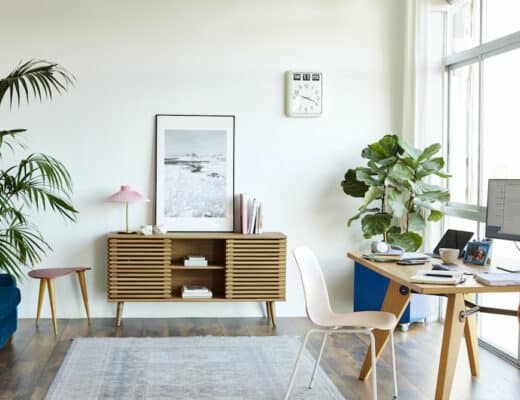
A good home office setup is more than a desk and a second monitor. Get the fundamentals right, a desk at the correct height, a chair that survives eight hours, a screen at eye level, light that does not glare, and cables you never have to look at, and you are most of the way there. But the upgrade most setups skip is quiet, and it is the one that decides whether you can actually get work done. Here is how to build a home office setup in full, including the part people forget.
Before you buy anything, decide where the setup lives. Measure the spot, leave room to push your chair back, and check that a power socket is within reach. A corner you can leave set up every day beats a table you have to clear each evening.
Start with the desk and chair
These are the two pieces your body notices within an hour, so spend here before anywhere else.
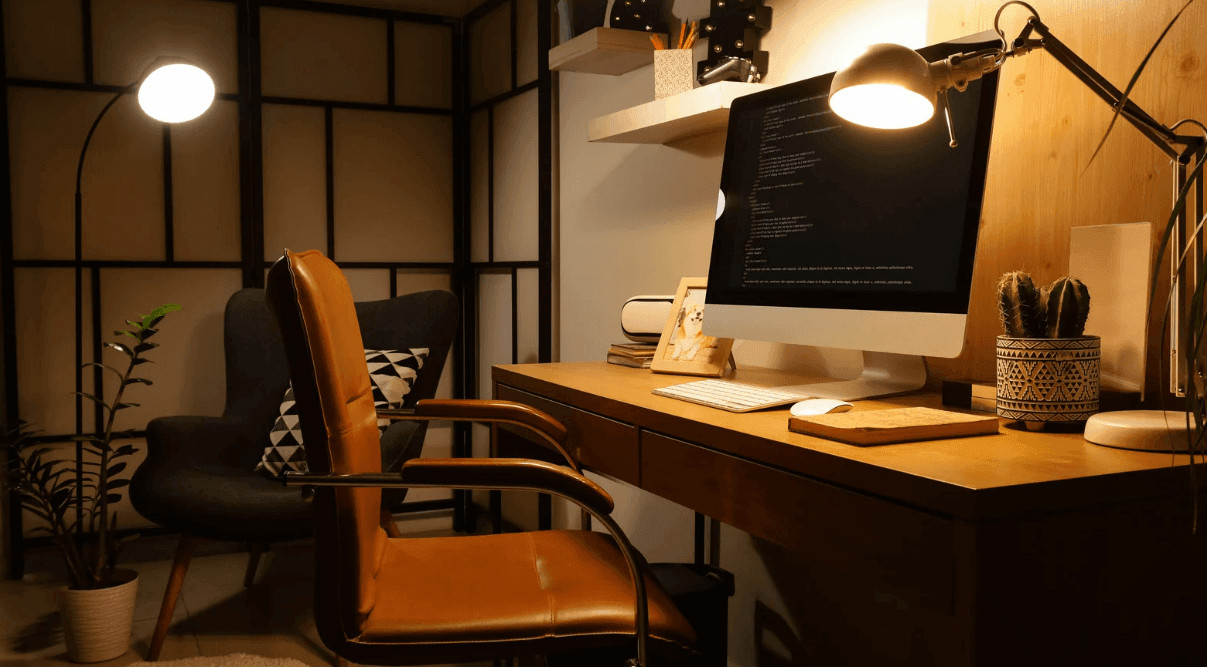
Set the desk so your forearms rest roughly level when you type and your wrists stay straight. A sit-stand desk is worth it if you will actually use both positions, but a solid fixed desk at the right height beats a wobbly adjustable one. The chair matters even more. Look for real lumbar support, an adjustable seat height, and a backrest you can set, because the cheap chair is the thing you quietly come to resent.
Everything else on this list is an upgrade. These two are the foundation.
Screen, light, and cables
This is where a setup starts to feel finished rather than thrown together.
Put the top of the monitor at about eye level and roughly an arm’s length away, on a stand or an arm so you can tune it. Sort the lighting next: a task lamp plus soft ambient light beats a single harsh ceiling fixture, and you want the window to the side rather than in front of the camera or behind your screen.
Then, tidy the cables once and for all. A dock or hub, a couple of trays, and some ties turn a nest of wires into a surface you are happy to sit at. It sounds cosmetic. It changes how the whole thing feels to use.
Give everything else a home, too. A shelf or a small drawer unit keeps notebooks, chargers, and paperwork off the desk, and a clear surface is easier to sit down at. Tidy it at the end of the day, not when it gets bad.
Home office tech: sort it once
Decide how everything connects and then stop fiddling with it.
A single dock that handles power, display, and peripherals over one cable is the cleanest route for a laptop. Add a surge protector, a webcam better than the one built into the lid, and a proper microphone or a decent headset if your week is full of calls. The goal is simple: sit down, plug in one thing, start working. The less friction at the start, the more you actually use the space.
Do not forget the connection itself. Video calls depend on a steady upload speed, so run a network cable from the router if you can, or move the desk closer to it if you cannot. Count your sockets before you buy anything, and put the surge protector where you can reach it.
The upgrade everyone skips
Here is the piece almost no setup guide mentions, because it does not photograph: quiet.
You can own the best desk, chair, and screen on the market and still lose every afternoon to noise. The culprit is rarely volume. It is speech you can make out, because your brain is wired to follow words it understands. One person on a call nearby, a TV two rooms away, kids home from school, and your focus is gone no matter how good the gear is.
So treat quiet as part of the setup, not an afterthought. Position the desk away from the busiest part of the house. Add soft surfaces, a rug, curtains, a bookshelf, to cut the echo. Put a door between you and the noise if you possibly can. And protect the hours that matter with headphones and a simple do-not-disturb rule the household understands.
When the room will not cooperate
Sometimes the house simply will not give you a quiet room. Open-plan layouts, shared space, thin walls, a partner on their own calls next door. No amount of gear fixes a room that carries sound.
When that is the situation, the cleanest answer is to add a room instead of fighting the one you have. A self-contained acoustic pod is exactly that: a sealed booth you set up in a corner, a garage, or a spare bit of floor and step into for calls and focus, with no construction involved.
If you are out of quiet space but full of meetings, a self-contained office pod from SoundBox Store is worth a look, and the best soundproof office pods, compared lays out how they differ in size and how much sound they actually hold back.
How to build a home office setup, in the right order
If you are starting from a laptop on the kitchen table, go in this order. Desk and chair first, because your body pays for getting them wrong. Screen, light, and cables next, because they make the space usable every day. Then the tech, so starting work takes one cable and no thought.
And finally the part everyone skips, quiet, because the best setup in the world is wasted if you cannot hear yourself think. Nail that last one, with the room or with a pod, and the whole setup finally does its job. For more low-cost ways to organize the space, see these budget-smart home office upgrades.